 SSEM
SSEM Markdown that reads well
the moment you open it.
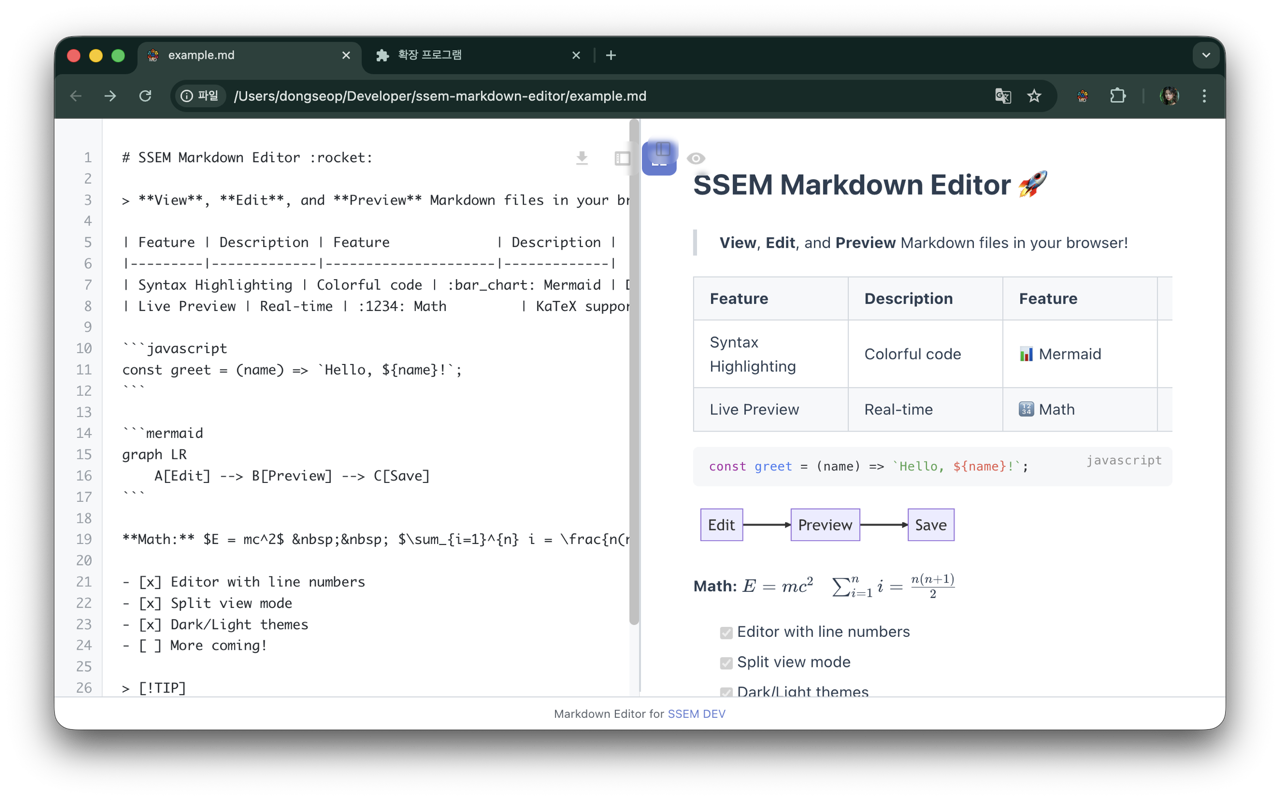
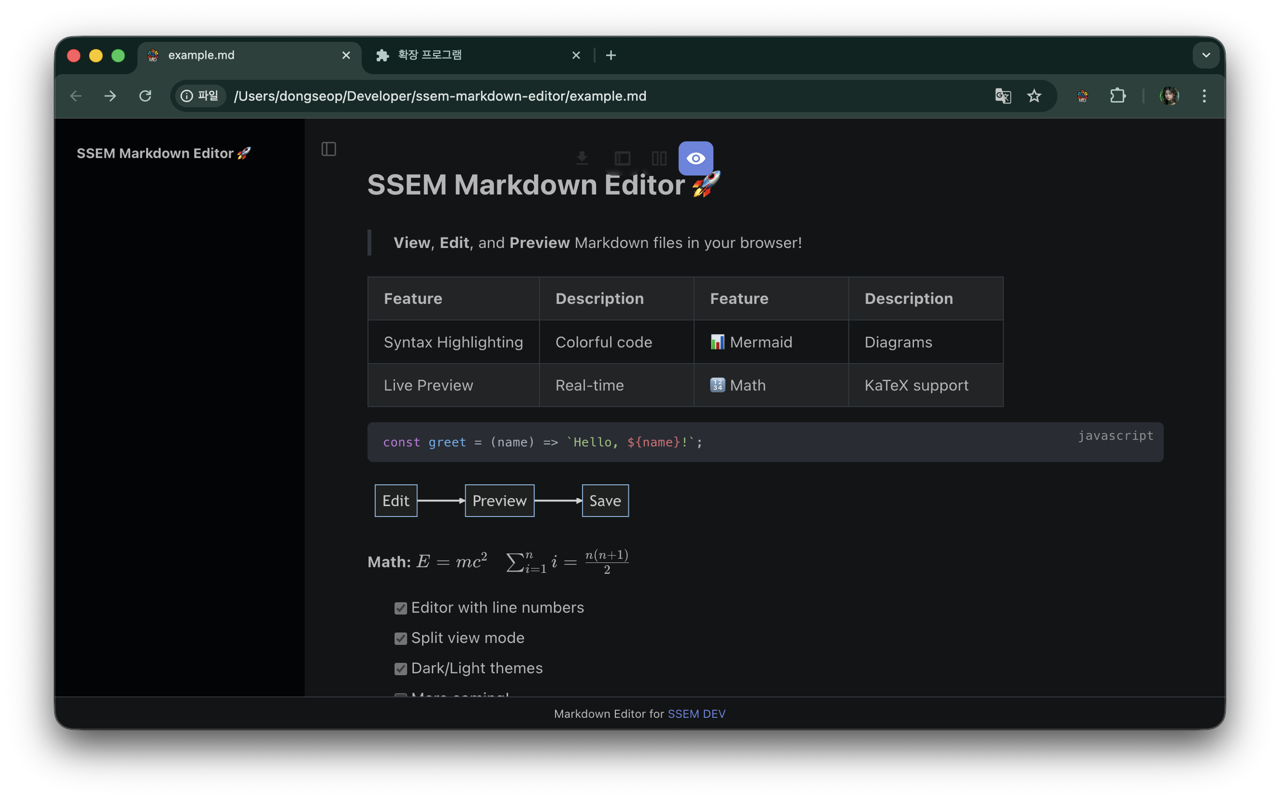
SSEM Markdown Editor turns any .md file you open in your browser into a clean, readable document. Edit on the left, see the preview on the right, and press Ctrl/⌘ + S to download the result. Mermaid diagrams and KaTeX math render right in place.
Why you’ll like it
Checking a README, fixing meeting notes, polishing the diagram in a design doc — finish it in a browser tab without opening another app.
Renders on open
Pages whose address ends in .md, .mdx, .mkd or .markdown are picked up automatically — files on the web (http, https) and on your computer (file://).
Three view modes
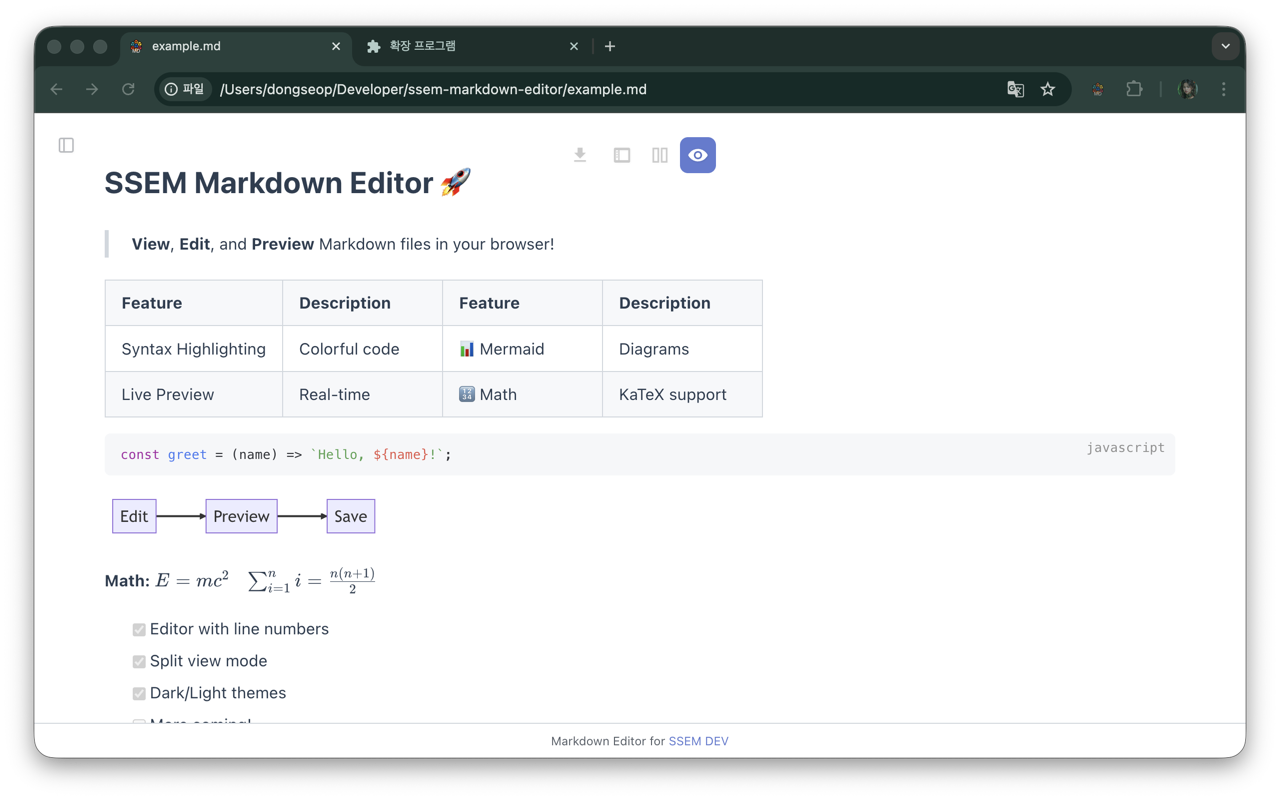
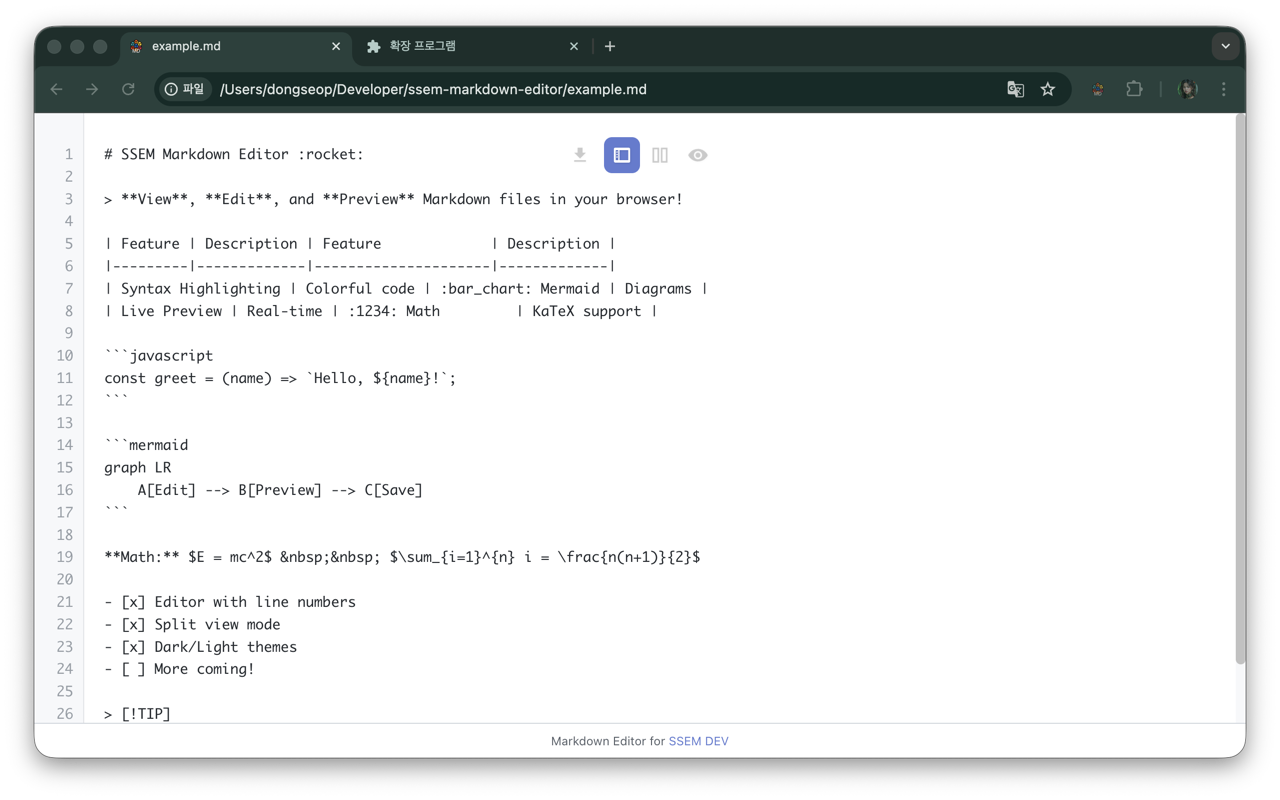
Editor (source with line numbers), Split (editor and live preview side by side) and Viewer (just the document). Switch with Ctrl/⌘ + E.
Diagrams and math
Mermaid 10 draws flowcharts, sequence and Gantt charts, quadrantChart, mindmap, timeline and more; KaTeX renders math such as $E = mc^2$.
Outline sidebar
Headings become a table of contents in the left sidebar, so long documents are easy to navigate. Toggle it with Alt + Shift + B.
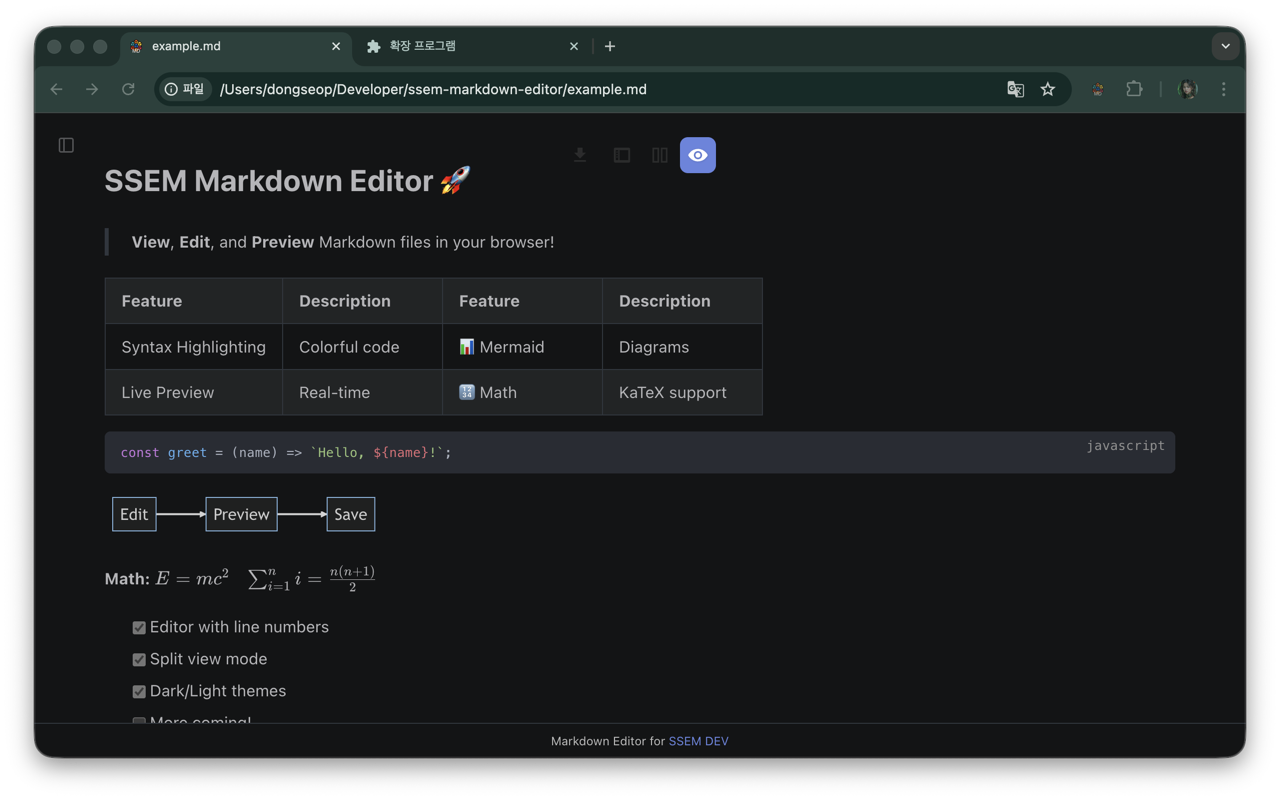
Light, dark or auto
Code highlighting follows the theme too. Choose Auto to follow your operating system’s appearance.
Your documents stay in the browser
Every rendering library ships inside the extension. Document content is never sent to us or any other server, and there’s no account, ads or analytics.
Also included
- Emoji (
:rocket:), superscript and subscript, inserted and highlighted text, abbreviations, definition lists, footnotes, task lists (- [x]), an inline table of contents and GitHub-style alerts (> [!TIP]) — each can be turned on or off in the popup. - A copy button on code blocks and an image viewer for enlarging pictures
- Centered layout for comfortable reading
- Auto-refresh that picks up changes to the file (Viewer mode)
- Open a folder on your computer and
README.mdorindex.mdopens automatically - Shortcuts: sidebar AltShiftB, centered AltShiftC, auto-refresh AltShiftR, theme AltShiftT
Edits are not written back to the original file. Browsers don’t let extensions overwrite files on your computer, so Ctrl/⌘ + S or the download button saves your edited document as a download. See the guide for details.
Take a look
The same document (example.md) in different modes and themes.
Install
SSEM Markdown Editor is free on the Chrome Web Store. Chrome installs updates automatically.
Chrome Web Store Free
- Version
- 1.0.2
- Browser
- Chrome (desktop)
- Price
- Free
- Developer
- SSEM DEV (independent developer)
How to install
- Open the Chrome Web Store with the button and click Add to Chrome.
- Pin SSEM Markdown Editor from the puzzle-piece icon in the toolbar to reach its settings popup quickly.
- To view files on your computer, turn on Allow access to file URLs in the extension’s details (how).
Most Chromium-based browsers such as Microsoft Edge can install extensions from the Chrome Web Store, but we only test in Chrome. There is no Firefox or Safari version yet.