 SSEM
SSEM The fonts you love,
now on your iPhone.
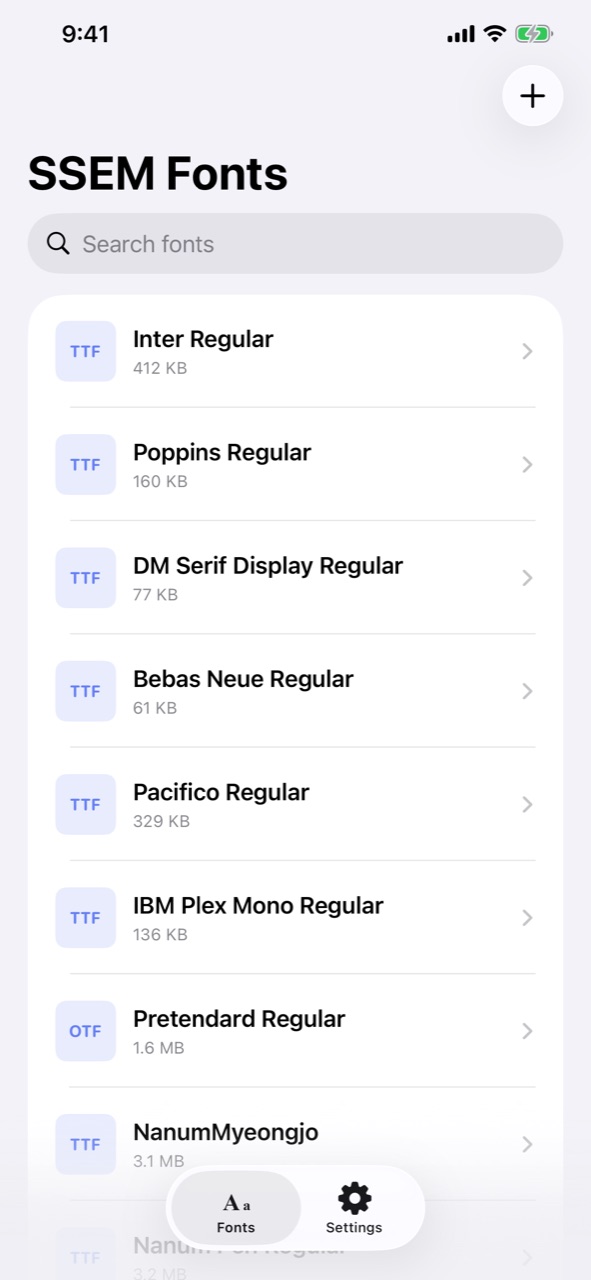
SSEM Fonts imports OTF, TTF, and TTC font files, lets you preview them, and installs them system-wide with an iOS configuration profile. Starting with version 1.1, 16 free fonts come built in, so you can install one right away. Installed fonts show up in Pages, Keynote, Numbers, and any app that supports custom fonts.
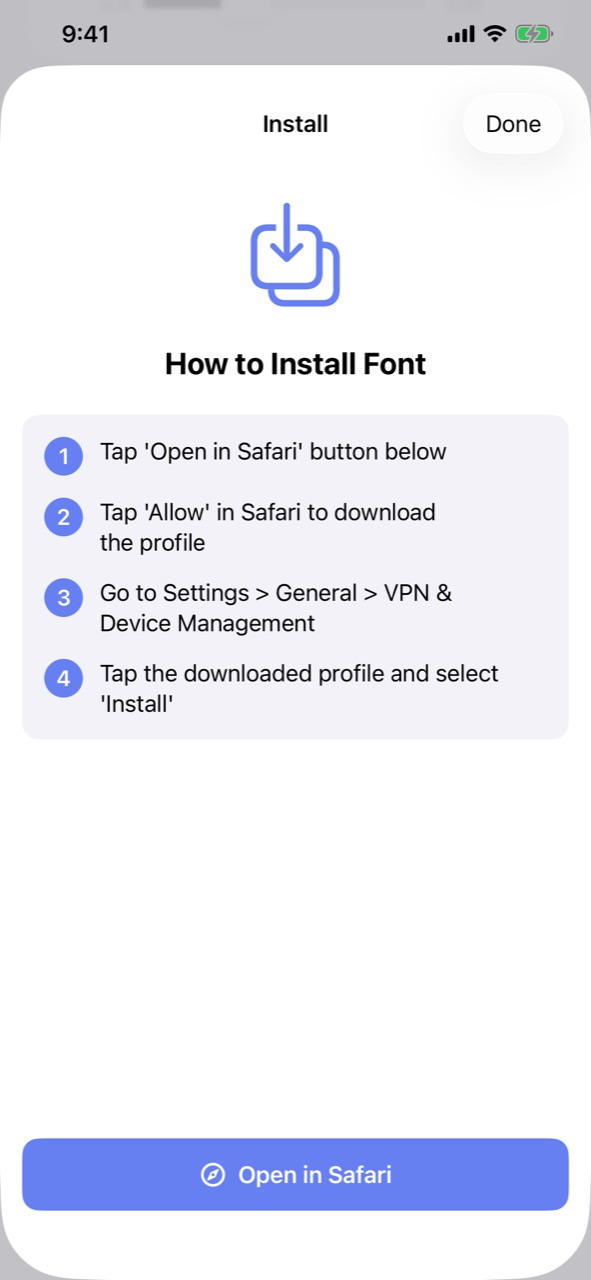
Installed in four steps
iOS doesn’t let apps add system fonts directly. SSEM Fonts uses the official route Apple provides: a configuration profile.
Import fonts
16 bundled fonts are already in the list. For other fonts, tap + in the top-right corner and pick files from the Files app, iCloud Drive, and more.
Preview, then install
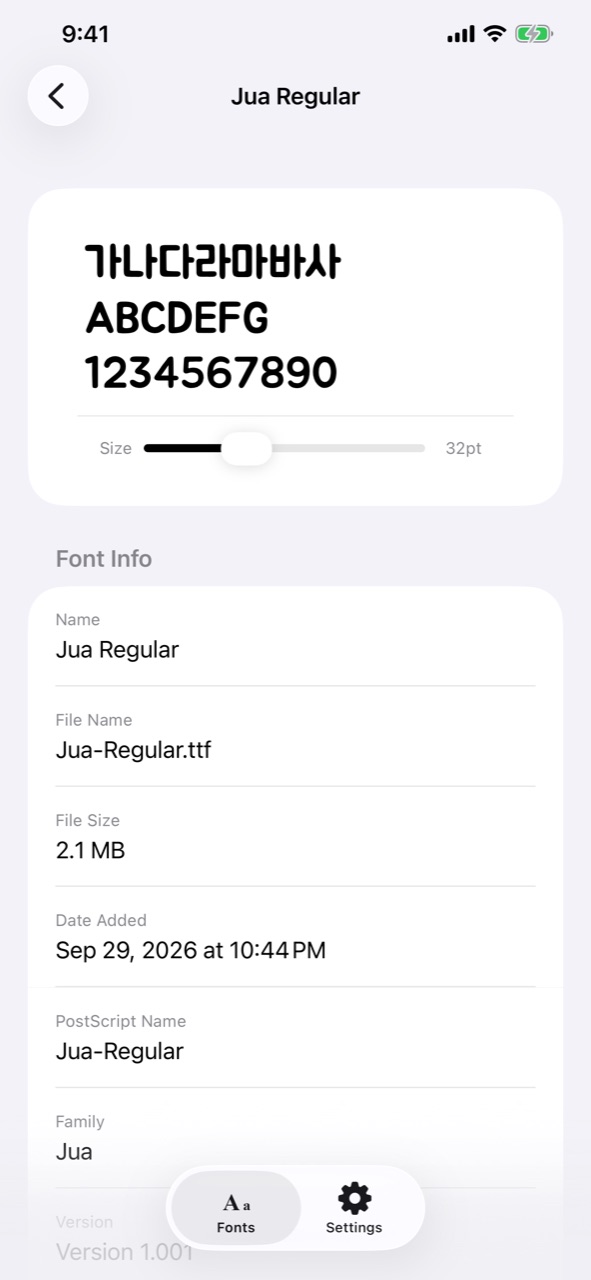
Choose a font, check it with your own text and size, then tap Install Font to System.
Allow in Safari
When Safari opens, tap Allow to download the configuration profile.
Install in Settings
In Settings › General › VPN & Device Management, tap the downloaded profile and choose Install.
Features
Everything you need to collect, check, and install fonts — nothing more.
16 free fonts included
Pretendard, Nanum Myeongjo, Nanum Pen Script, Do Hyeon, Jua, Inter, Poppins, Pacifico, plus Japanese, Chinese, and Vietnamese fonts — ready to install the moment you open the app. All are under the SIL Open Font License (version 1.1 and later).
Easy import
Import OpenType (.otf), TrueType (.ttf), and TrueType Collection (.ttc) files from the Files app, iCloud Drive, or cloud storage.
Preview before installing
Type your own preview text and adjust the size from 12 to 72 pt to see exactly how letters and numbers look.
Font details
See the family name, PostScript name, version, copyright, file size, and date added at a glance.
Organize and search
Keep all your imported fonts in one place, search by name, and swipe to delete. You can also share font files to other apps.
Use in Pages, Keynote, Numbers
Installed fonts appear in the font list of Pages, Keynote, Numbers, and every app that supports user-installed fonts.
Stays on your device
During installation, a temporary local server inside your iPhone hands the profile to Safari. Your fonts are never uploaded anywhere.
Take a look
Choose any of 11 languages right inside the app.
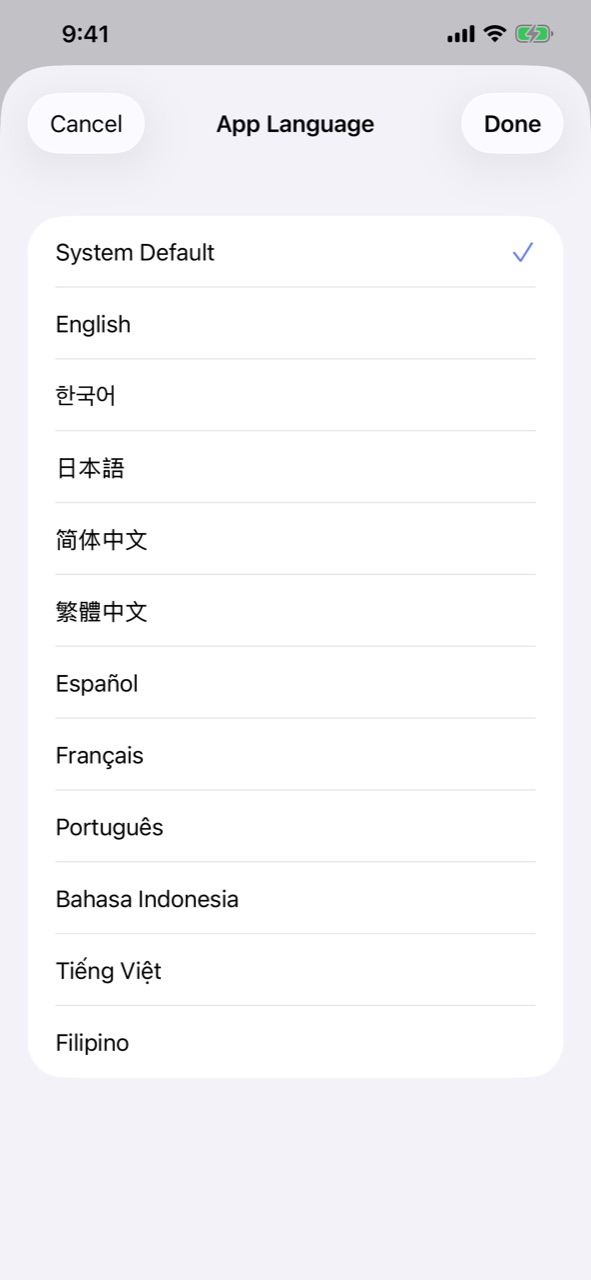
Languages
- English
- 한국어
- 日本語
- 简体中文
- 繁體中文
- Español
- Français
- Português
- Bahasa Indonesia
- Tiếng Việt
- Filipino
Buy
SSEM Fonts is sold only on the App Store. Buy it once — there is no subscription and no in-app purchase. The App Store takes care of updates.
- Price
- US$0.99 (one-time purchase; local App Store pricing applies)
- Distribution
- App Store
- Requires
- iPhone with iOS 16 or later
- Developer
- Levelupsoft Inc.
Good to know
- Fonts are installed with an iOS configuration profile, which you approve yourself in the Settings app.
- Installed fonts appear only in apps that support custom fonts. The system font (Home Screen, Messages, etc.) doesn’t change.
- Each font’s license decides how you may use it. Install only fonts you have the right to use.